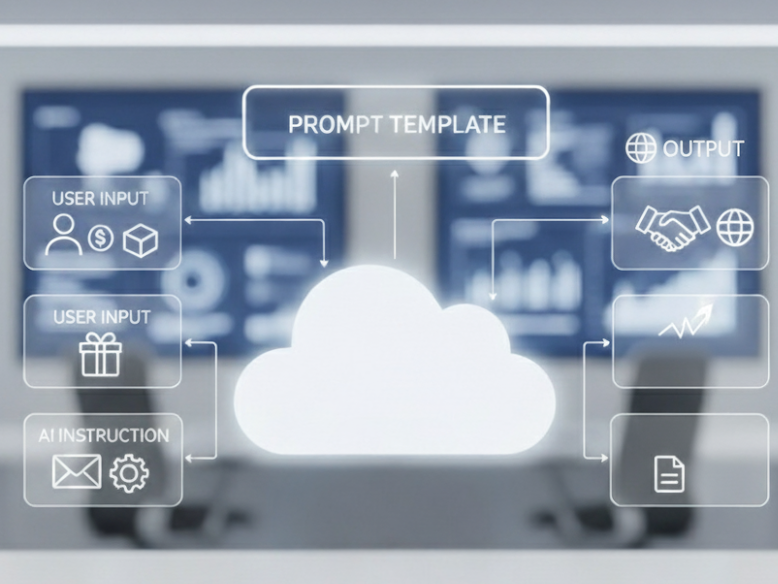
What is a prompt template?
Let’s start with the basics: a prompt is simply a question or instruction you give to an AI to get a response.
A prompt template is like a predefined format or blueprint for these prompts. Think of it like an email template you provide different inputs, but the overall structure and style of the response stay consistent every time.
What are the different types of prompt template?
Salesforce offers standard prompt templates like Record Summary, Field Generation, Sales Email, and Flex, which you can clone and customize to fit your needs.
What are different types of LLM Models Used by Prompt Templates
Salesforce prompt templates can connect to different types of large language models (LLMs). You can choose between
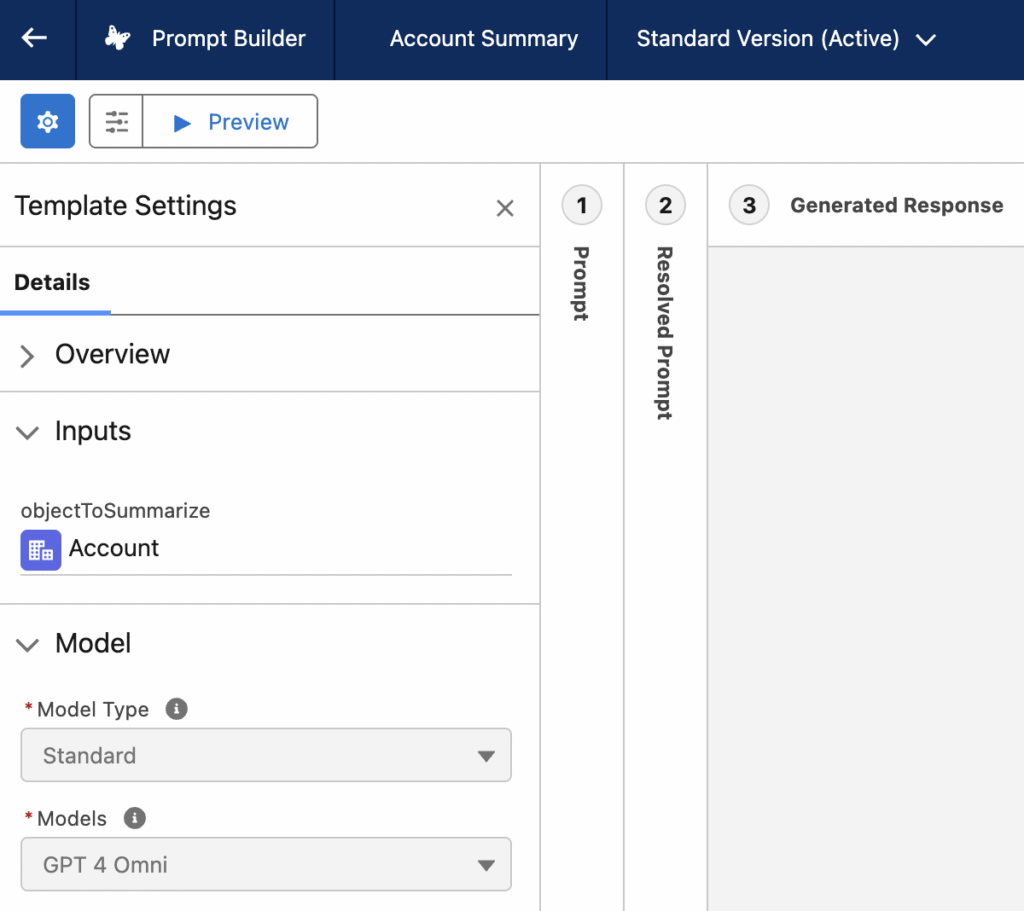
- Standard models managed by Salesforce. Within the standard option, you have the flexibility to select specific model variants, often categorized as Basic or Standard, depending on use case. Some common standard models Salesforce offers include GPT-4, GPT-3.5 .
- Bring your own model (BYOM). Any custom-built or fine-tuned LLM (e.g., LLaMA, Mistral, or a proprietary model). Any other third-party LLM that doesn’t have a native connector
This setup allows businesses to tailor AI performance and cost according to their needs while ensuring data security through Salesforce’s Trust Layer.
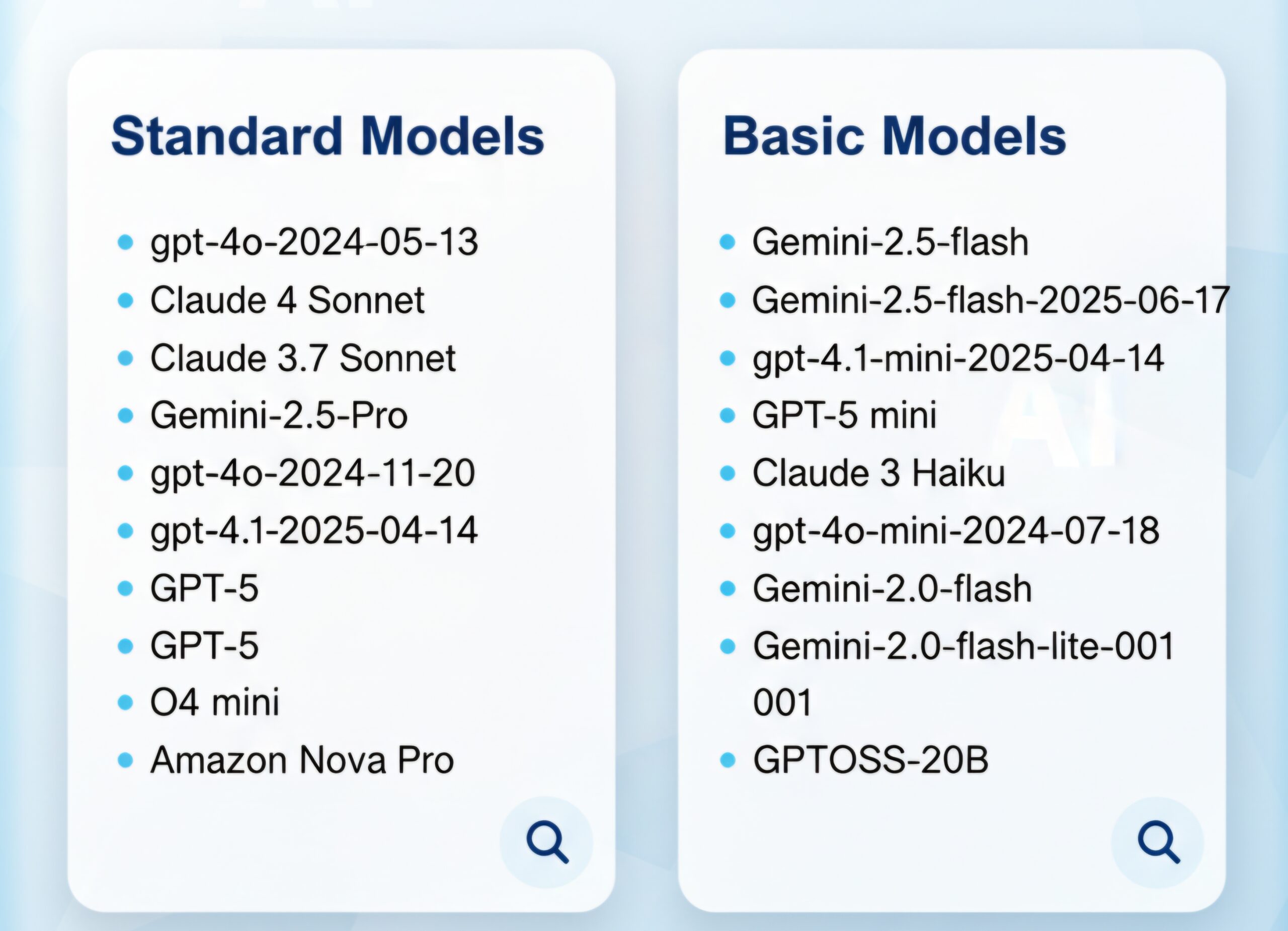
After selecting the model type, you can see the different types of standard models available in salesforce as shown below
From where can the prompt template be triggered?
Salesforce prompt templates can be invoked from several places, with Salesforce Flows—including screen flows, record-triggered flows, and scheduled flows—being one of the most popular and user-friendly options. Besides flows, developers can call prompt templates using Apex code, and they can also be used within Einstein Bots, OmniStudio, or via external API integrations.
What are the different types of pricing models?
Salesforce offers AI pricing through three main consumption models:
- Fixed pricing model
- Pay a flat fee, usually based on the number of users
- Provides unlimited AI access for those users
- Pure consumption-based model
- Pay only for what you use
- Charges are based on actual AI usage measured in credits
- Hybrid consumption model
- Combines fixed and usage-based pricing
- Allows you to pre-purchase credits
- Additional usage is billed as consumption if you exceed the prepaid amount
These flexible options help businesses choose the best model for their needs and supports scalability, cost control, and alignment with varying usage patterns

LLM consumption from prompt template
When you run a prompt using Salesforce’s standard large language models (LLMs) under the consumption or hybrid pricing model, the credit cost is based on the number of tokens processed.
Tokens are chunks of text that AI models use to process language. They aren’t exactly the same as words, but often relate closely.
1 token ≈ ¾ of a wordOr, about 4 tokens ≈ 3 words
Typically, a standard prompt consumes up to 2,000 tokens, which includes both the input and the AI-generated output.
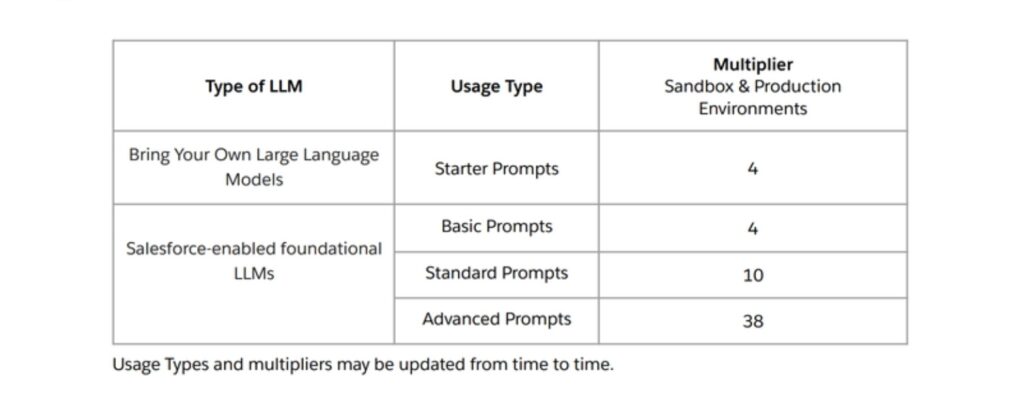
Formula for credit consumption–
Einstein Requests per LLM API Call = Round up (Total input and output tokens metered by the LLM provider in the LLM API call / 2000) * (4-10 for Salesforce-managed models and 4 for BYO-LLM)
Example 1 – Let’s consider a prompt template of type Record summary a standard prompt template with the model Open AI GPT4 Omni mini(Standard model). In this case the consumption would be
Total input + output token = 2000
Einstein request consumed = (2000/2000) * 10 = 10 einstein requests.
Example 2 – Let’s consider a prompt template of type Record summary with custom type BYO-LLM(Bring Your Own).
Einstein request consumed = (2000/2000) * 4 = 4 Einstein requests.
Example 3: If your prompt uses 4,000 total tokens (Input + Output) with custom type BYO-LLM
Einstein request consumed = (4000/2000) * 4 = 8 Einstein requests.
How to Easily Track Your Prompt Consumption Using GenAI Gateway Reports?
Keeping track of how much your prompts consume in terms of credits is crucial, especially if you’re working with a hybrid consumption model or have pre-purchased Einstein request bundles. Luckily, there’s a simple way to monitor this using the GenAI Gateway request reports.
If you have Data Cloud enabled, you can build a report of type GenAI Gateway Request to get detailed insights on your prompt consumption.
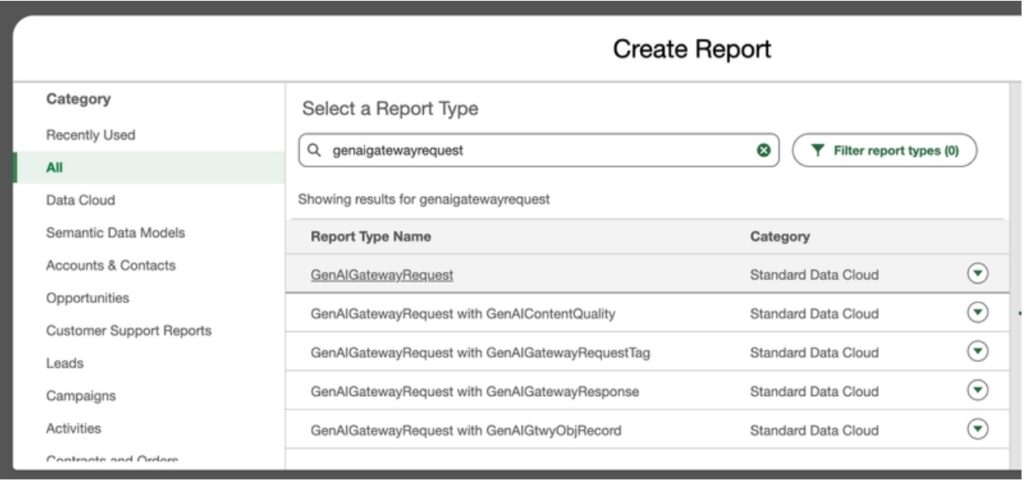
Here, the total tokens field shows how many tokens your prompts have consumed. Filter the report with your prompt Name. Additionally, you can add a summarization formula to the report, like this:
Ceiling((GenAIGatewayRequest__dlm.totalTokens__c:SUM/2000)*10)
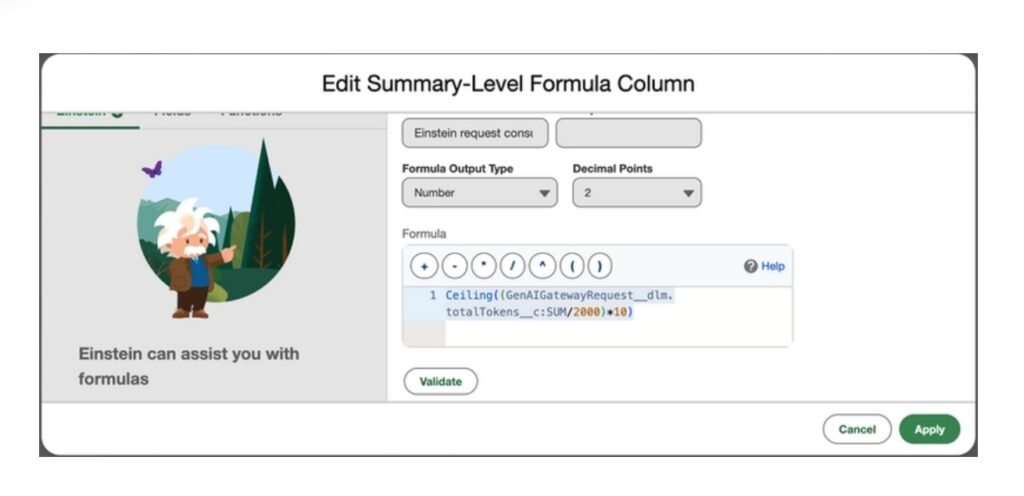
To make tracking easier, you can subscribe and schedule this report to run daily. Add a filter condition when the aggregate of this formula exceeds your pre-purchased Einstein requests you would get a notification that you are exceeding your pre-purchased limits and either you can buy more (contact your account executive) or pay as per your consumption.
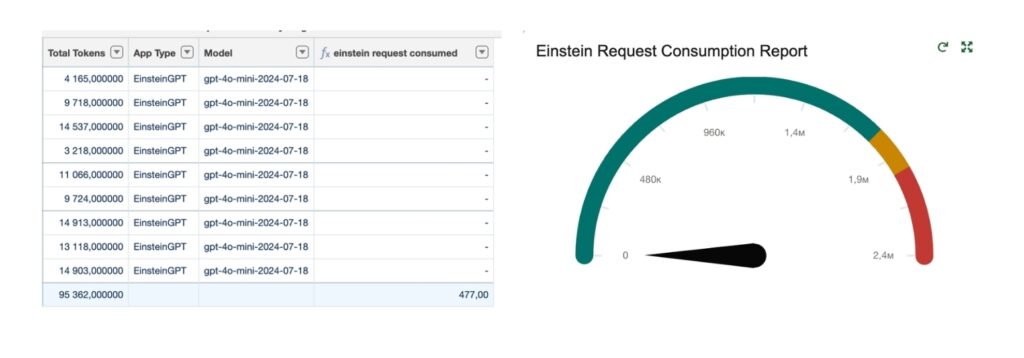
We hope this guide helped you better understand how to track and manage your prompt template consumption effectively. Keeping an eye on your AI usage not only helps optimize costs but also ensures you’re getting the most value from your investment.